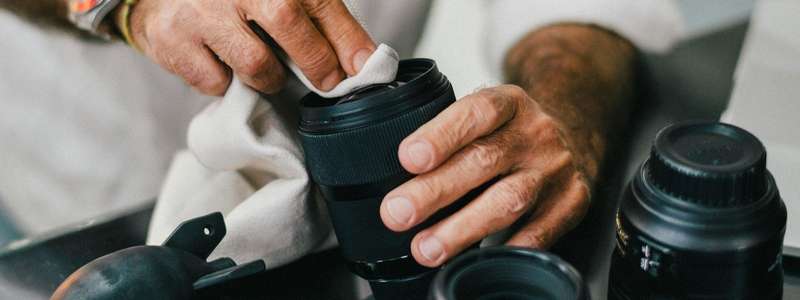
Whether you're a casual shooter or a full-time content creator, one thing’s for sure - your camera will get dirty! Dust, smudges, salt spray, fingerprints, and lint can sneak into every button, screen, and lens. Keeping your camera clean isn’t just about appearance - it directly affects performance, image clarity, and longevity.
Here’s how to safely clean your camera gear at home, plus why regular maintenance matters.

Always turn your camera off before cleaning. Remove the lens and battery to avoid accidental damage.
Use a rubber blower to gently remove loose dust from the camera body, lens mount, and lens elements. Avoid canned air - it can spray propellant.
Use a lens brush or microfibre cloth to wipe away smudges gently. For stubborn marks, apply a few drops of lens fluid to a cleaning pad (never directly on the lens) and clean in a circular motion.
Use a clean, dry microfibre cloth to wipe the screen, buttons, grip, and EVF. For grime in crevices, a soft brush or cotton swab helps.
Only attempt sensor cleaning if you're confident - a dry sensor swab and proper technique are essential. Otherwise, leave it to the professionals.

At Cameracorp Australia, all rental and Preloved cameras are professionally cleaned and inspected before dispatch. If you’re renting for longer periods (12–36 months), keeping your gear clean in between is essential to maintaining quality and functionality.
Do you need a camera you can use confidently right out of the box? Explore our fully serviced camera rentals - Australia-wide.

Cameracorp Australia is a trading division of The Polygon Group Pty Ltd
More Ways to Fuel Your Passion
For over 35 years, The Polygon Group has been helping Aussies connect with what they love. Whether it's musical instruments, cameras, bikes or tech, we're here for the creators, the players, and the adventurers.





Choose a minimum rental period that suits your flexibility and affordability and simply return after the minimum rental period.

Privacy Documents | Complaints | Website Terms & Conditions of Use | Designed by Datalive Software
© 2025 The Polygon Group Pty Ltd
Cameracorp Australia is a trading name of The Polygon Group Pty Ltd
ABN 98 066 641 325 | Australian Credit License No. 412456
